Standards Australia

Onboarding
Redesign

UX DESIGN
UI DESIGN

Scroll down to learn more

SUMMARY

Upon starting their role, new starters are welcomed by HR and left with their manager as onboarding. This process needed to be more consistent between teams as it was awkward at times, leaving the new starter to wait with nothing to do between processes.

Working in collaboration with the HR and Learning & Development team, a proper onboarding process was implemented to ensure all new starters can learn what they need from their first day and make them feel welcomed to the company.

PROJECT TIMEFRAME

The research phase took place over a week, whilst the remainder of the process took place over three months.

RESPONSIBILITIES

My responsibilities included:

Interviewing recent new starters to gather insights

Documenting the customer journey of a new starter

Designing a "Day One" handbook and resources using Adobe Illustrator, Adobe Indesign and Canva

Analysing data through Survey Monkey and Qualtrics to evaluate the changes from the new starter's perspective

INTERESTING FACT

A common question asked between new starters on the day was, "Where is the best coffee near here?"

1
EMPATHY
  • A 15-minute interview took place between five recent new starters
  • After the interviews, the thoughts were summarised into an Empathy Map
  • The current onboarding process was documented in a customer journey
  • Other onboarding strategies were reviewed
  • Insights were identified from all data findings
2
DEFINE
  • Persona was created to represent the end-user
  • User Stories were created to understand the new starter's perspective better
  • Onboarding Stages were identified to determine the scope
3
IDEATE
  • How Might We statements were used to identify possible solutions
  • User Journey was identified to determine the expected process for all stakeholders
4
PROTOTYPE
  • Day One Onboarding Booklet was created as a reference point for all relevant information for new starters
  • Welcome E-mail was created to improve the customer experience
  • Learning To-Do List was created to encourage extra participation in learning about the company
  • A customised Google Map was created for the new starter to identify what shops were near the building
5
TESTING
  • Six months of new starters gave an average satisfaction score of 9.73/10
  • A Manager's checklist was created to boost confidence
Interviews
Customer Journey
Review of Existing Material
Insights

Interviews

A 15 minute interview took place between five recent new starters. They are asked a range of questions on the topics of:

Topic #1

The Interview Process before getting the role

Topic #2

Knowledge about the company before starting vs. after starting

Topic #3

The Onboarding Process for Day One

Topic #4

Relationship building within their team

Topic #5

Career goals when starting on Day One

Topic #6

Getting/Giving performance feedback from their manager

Topic #7

All required applications being prepared before starting

Topic #8

Onboarding comparison to their previous role

After the interviews, the thoughts were summarised into an Empathy Map

SAYS

  • "Not clear as to what is expected"
  • "Needed a document to summarise everything from the first week"
  • "I was ready to get started, but I needed to set up my own computer in the first few days and had to troubleshoot with IT"
  • "Where is the best place to get coffee around here?"

THINKS

  • Not as strong as previous job who had a proper onboarding for a whole week
  • Despite working previously in the CBD, wasn't sure of what's in the area
  • Pointless to learn about Standards, if their main role doesn’t work with Standards Development or Distribution
  • Time-wasting to look for information as a new starter. They think it should be prepared already

DOES

  • Received a phone call from their manager before starting - for one new starter
  • Sat at their desk doing nothing cause their computer wasn’t set up yet
  • Had to request their own software which ate up time during their first week

FEELS

  • Struggled - Overloaded with information to learn
  • Welcomed - everyone was inviting
  • Puzzled - unsure about was planned for the week and expectations
 

Customer Journey

Working with the Junior Learning Graphic Designer (who was also a new starter), we ventured into exploring the current customer journey by mapping it out using post-it notes and butchers paper.

The customer journey was digitised afterwards using Adobe XD.

View Customer Journey (PDF)
 

Review of Existing Material

To better understand how more experienced companies perform onboarding for new starters as well as identify opportunities through inspiration, three different resources were evaluated.

LinkedIn - Onboarding in a Box

Strengths

  • Visually appealing
  • Contents page to simplify navigation
  • Checklist is interactive
  • Questions have interactivity - can be filled in
  • Includes templates for managers to use

Weaknesses

  • No way to track responses - up to the user to submit
  • Requires follow up if submissions are not submitted

hrOnboard - Employee Onboarding Checklist

Strengths

  • Simple checklist
  • Includes Before Day one activities
  • Can easily be shared with new starters to help them prepare

Weaknesses

  • Digital version is not interactive
  • Can appear as generic if just PDF sent

Enboarder - People Activation Platform

Strengths

  • Very personable
  • Focus is on the experience and new starter satisfaction
  • Celebrates achievements - such as successfully completing week one
  • Includes beyond onboarding topics such as learning, change management, transitions, offboarding, etc.

Weaknesses

  • Not enough budget to utilise Enboarder
  • A lot of manual work involved to personalise the experience
 

Insights

From the overall research, seven insights were discovered:

  1. There needs to be a document containing all relevant information for new starters to reference
  1. A process needs to be in place to welcome new starters, ensuring consistency within the company
  1. Onboarding needs to be personalised to the new starter
  1. Need to ensure new starters have someone to rely on for any questions
  1. Milestone achievements need to be celebrate to ensure new starters have the best employee experience
  1. Information needs to be simplified so it's overbearing to new starters
  1. Location may be new for a new people, so introductions need to include information about the area as well.
Persona
User Stories
Onboarding Stages

Persona

Using the insights and information gathered from the Empathy stage, a persona was created to represent a new starter at Standards Australia.


User Stories

To better understand the perspective of the new starter and their objectives, three user stories were created:

User Story #1

As a new starter in the Standards Development Team, I want to learn as much as possible about Australian Standards so that I can be knowledgable about my job.

User Story #2

As a new starter, I want to be set up as soon as possible so that I can start working away.

User Story #3

As a new starter, I want to fit into the work culture so that I can establish a team dynamic.


Onboarding Stages

After presenting the findings with the HR and Learning & Development Team, a brainstorm session was held to identify the touchpoints of the different stages of the Onboarding process.

First Day

  • Introduction to the Company

First Week

  • Introduction to Standards
  • Introduction to the different teams within Standards Australia

First Month

  • Standards Training - Advanced
  • Creating Goals
  • Compliance Training

First 6 Months

  • Standards Training - Observe
  • Goal Evaluations
HMWs - How Might We
User Journey
Before Onboarding
New Starter's First Day

HMWs - How Might We

Upon our following catch-up with the Human Resources Team, it was decided to hold a discussion to address the user stories in the form of "How Might We" statements to allow a chance for everyone to consider the persona's perspective. From the two "How Might We" statements, the following deliverables were suggested:

How might we ensure that new starters are ready to work on Day 1...

  • Onboarding Booklet
  • Day 1 Onboarding Induction
  • Outcomes for eLearning
  • IT Checklist
  • Buddy Guide
  • Town Map - What's Nearby

How might we celebrate new starter's achievements...

  • Welcome email
  • Welcome card
  • Reward - Badges and Gamification
 

User Journey

Working alongside with the Business Improvement Team, the Onboarding Process was properly documented as a flow chart.

Before Onboarding

Once the new starter has been approved, the Talent Team add them to the system and send a welcome pack via email.

The Human Resources Team commence all required paperwork including contract, dietary requirements, detailed position description, etc.

The IT Team then organise the relevant hardware and application permissions to ensure that they are ready to begin on Day 1.

The Learning and Development team and Front of House work together to prepare the meeting room, catering and required documents for Day 1.

New Starter's First Day

All teams relating to Onboarding work together during the new starter's first day to ensure that they are welcomed, have everything ready to start their role as well as the company knowledge to ensure they can represent the company confidently.

Day One Onboarding
- IT Checklist
- Strategic Plan
- Goal Setting
Welcome E-mail
Learning To-Do List
Customised Google Map

Day One Onboarding

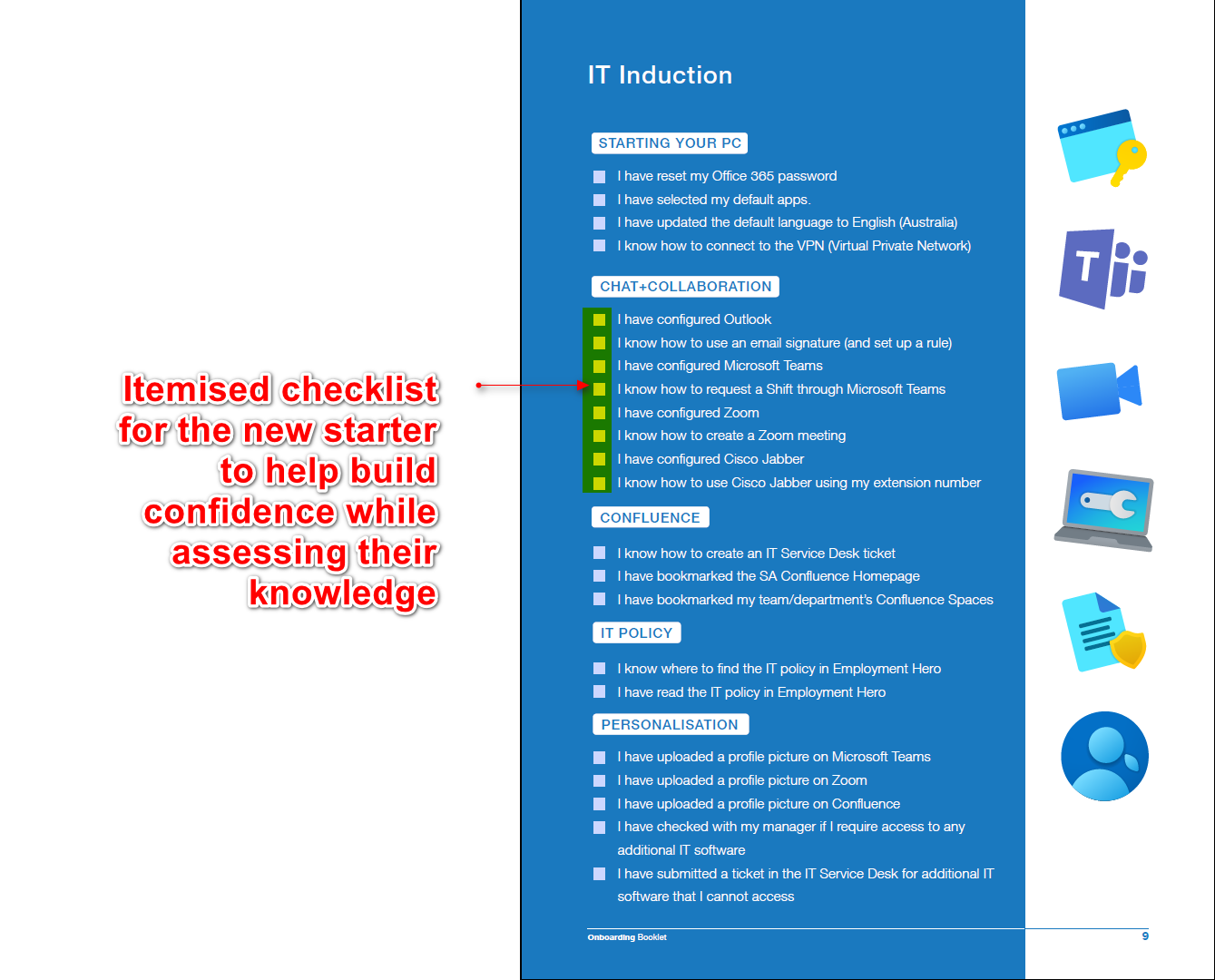
To address the insights, persona's goals, user stories and findings from the ideation stage, it was decided to create a single booklet that would house all the relevant information for new starters to be able to reference for their first few weeks. In addition, the booklet could serve as a workbook, allowing new starters to track their goals and write notes and questions as they begin their Standards journey.

As there was a lot of information identified in the Onboarding stages of the Define stage, the first step was to create a Word Document and copy and paste all the relevant information required for the booklet.

View Onboarding Booklet Draft (.docx)

After reviewing and approving the contents of the booklet with the appropriate owners, design work took place to 'beautify' the booklet's appearance and improve the customer experience. Examples of some of the pages can be found below:

View recent Onboarding Booklet (PDF)
IT Checklist
Strategic Plan
Goal Setting
View recent Onboarding Booklet (PDF)
 

Welcome E-mail

The week before the new starter commences, the Learning and Development team would work with the manager (through Microsoft Teams and Outlook) to identify the first week of tasks. The tasks would be reflected in the "Welcome Email" template and scheduled to be sent to the new starter's personal and work email the Friday before they started.

View Welcome E-mail (.oft)
 

Learning To-Do List

From the empathy insights as well as further analysis of the completion of eLearning modules, it was clear that some new starters chose not to complete learning modules because it was not required and because they did not see the benefit of "wasting their time" to learn about things which do not directly relate to their role. To attempt to change this behaviour, a "Learning To-Do list" template was created in Canva, so all team members could edit as they wished and so that it would not be solely dependent on a designer to make changes.

A designer or team member would export the document as a printed document for the new starter to check-off as they complete items.

View Learning To-Do List (PDF)
 

Customised Google Map

Using "My Maps" by Google, a customised interactive map was created for new starters to better understand what facilities are nearby to the office. This was created to address the persona's need "to know what's in the area". Categories include: coffee, gyms, banks, places for sightseeing, etc.

When an icon is selected, the preview panel on the left is replaced with the details pulled from Google Maps including the address, the website, and option to view directions in Google Maps.

View Google Map
Data Analysis
Manager's Checklist

Data Analysis

After each Onboarding session, new starters are sent a survey to evaluate their experience. From 6 months of data and over 70 participants, when asked, "Overall, how satisfied were you with the Onboarding Experience?", there was an average of 9.73/10. Some of the comments included:

Warm welcome, at ease, included immediately even during lockdown – validated my decision to join the company
Standards Australia is fantastic, you get to talk to real people from the second you start on day 1. Don’t change this! At previous company, was “locked in a meeting room” alone for a week, to do online onboarding modules back to back.
 

Manager's Checklist

A few casual interviews with managers were held over lunch to discuss their feelings and comments towards the new Onboarding process. One common observation was that while the managers felt that the user experience had significantly improved, they felt they needed clarification on what was required for them to prepare. To rectify this, a manager's checklist was created to enhance the experience.

New Starter's Checklist

Managers can prepare more efficiently through the use of a checklist.

Goal Setting Guide

New starters can record their goals with their manager and print them out for reference.

View Manager's Checklist
Goals achieved

As mentioned in the testing section, survey respondents gave a 9.73 average rating of "Overall, how satisfied were you with the Onboarding Experience?". This rating indicates that the original goal has been met.

Whilst improvements can be made with further research, the casual interviews with new starters and managers lead me to believe that the project progress has improved the user experience of the onboarding process.

Lessons learnt
  • Setting more precise timelines, as this was a side project
  • Better role designation for test users to minimise confusion and delays
  • Need better analytics to track effectiveness to provide valuable results
  • Regular updates with stakeholders - especially end-users to verify that the project is on the right track
Experience gained
  • Creating band-aid solutions when facing limitations with systems such as the Learning Management System.
  • Balancing between UX and Graphic Design roles (as well as the primary job role)
  • Digital transformation of the project to adapt to COVID

Liked this project? View more more below:

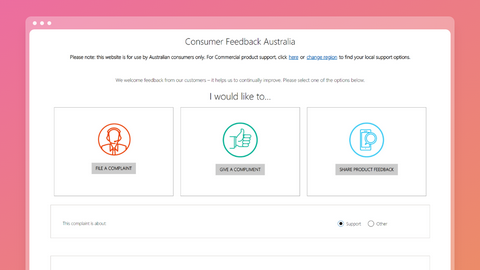
Feedback Form

This was a six-month project under Microsoft Australia to personalise the customer complaint experience so that customers can voice their concerns online.

View project

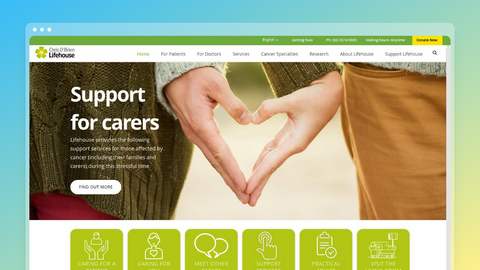
Caring for Carers

This was a 2-week project working with Chris O'Brien Lifehouse to identify different ways of how to improve the website for current and future visitors of the cancer speciality centre.

View project

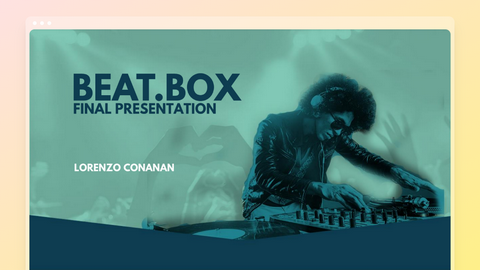
Beat.Box Project

This was a six-week project for the part-time Visual Design class at General Assembly. The objective was to promote a new music streaming service called "Beat.Box".

View project (PDF)

If you have any questions,
please feel free to reach out: